Indexing (Invoices)
Index Mapping
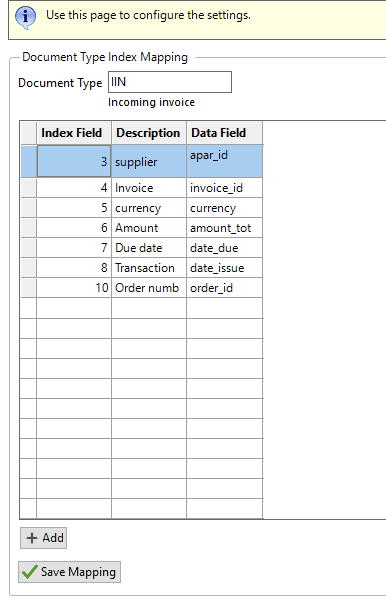
The index mapping section is used to map the indexes on document types, to the fields available from the OCR system.
Note that the index field numbers are critical for linking the mapping back to the document types. The only time they should ever be manually changed is if the document indexes have changed since the mapping was complete.
The mapping data fields can be changed if required.
An example of completed mapping:
When you select a previously un-mapped document type, the system will preload the indexes for you with the correct index numbers.
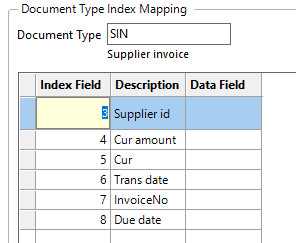
You then simply use the type ahead Data Field to add in the mapping

and finally use the Save Mapping button to store it once you are happy.
