Document Archive:Invoices
Before completing this section you need to check the document types you intend to use with the OCR tool (we also recommend these are set in the SSV: ERPOCR_DOCTYPES) and what document system they use; database or file based.
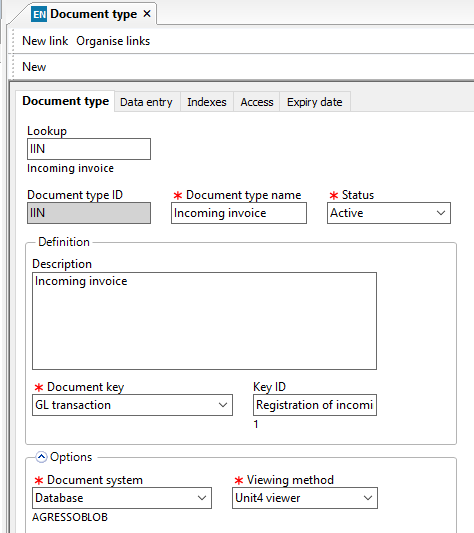
If ALL the document types that you are using for OCR use a database blob storage method then you can simply switch off the ERP_OCR_EXP_??? Parameters as the system will simply transfer the documents from our table to the document archive table. You can ignore the rest of this section.
If one or more of your document types you intend to use for OCR use a file based storage then please read on.
The document archive in Unit4 ERP offers a lot of flexibility to users, therefore it can be a challenge when it comes to transferring documents from the OCR tables to the document archive. To ensure that this process is robust we offer two possibilities which both use standard Unit4 functions to move the files to the correct archive locations.
To assist with this there are two options.
DS01 Transfer
The first and simplest is using the DS01: Document type conversion.
The only note to this system is that all mandatory indexes must be filled out prior to running the DS01 as it will reject these items.
This does however mean that you have a second checkpoint for the documents as anything left on the "import" document type is likely to have an issue with the indexing.
To do this you simply create an "import" version of your document type(s) which can be used in the OCR system, we also recommend these are set in the SSV: ERPOCR_DOCTYPES to avoid the wrong ones being used.
These document types need to exactly mirror your existing document types, the exception being that their document system is set to database.
For example:
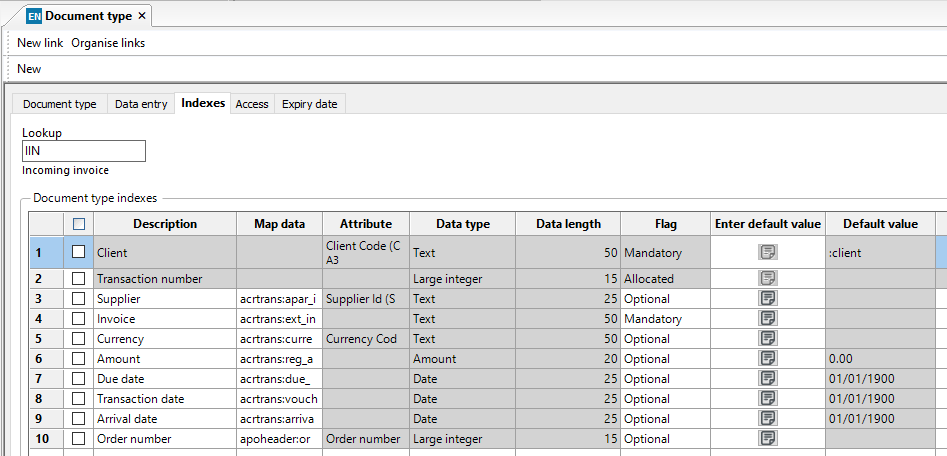
This is an example of a standard IIN setup which uses the file system and has a number of indexes:
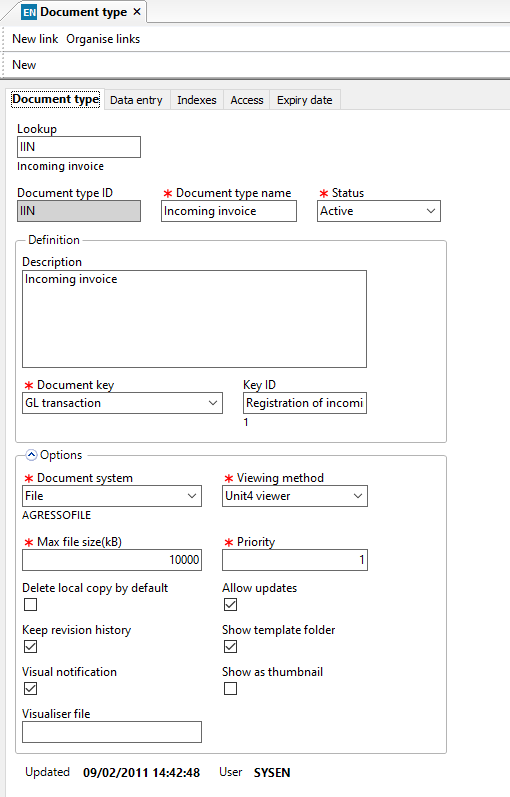 automatically generated](media/image9.png)
This is how we would set up the import version of the same but to use in the OCR system, it is exactly the same except for the document system
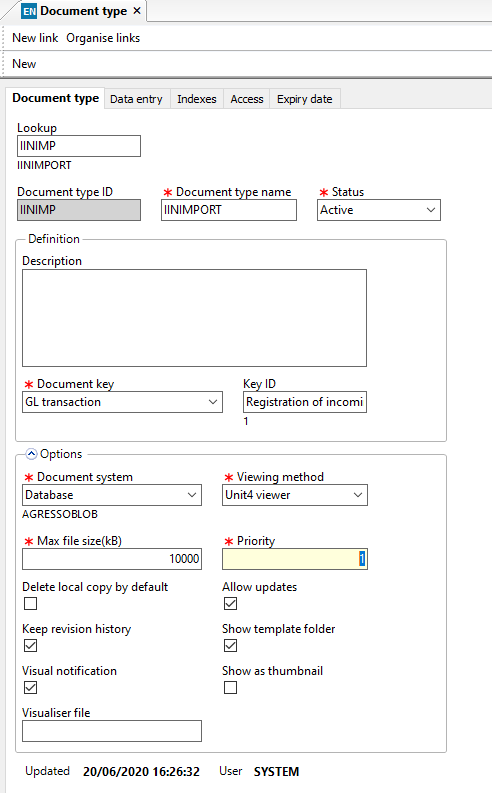 Description automatically
generated](media/image12.png)
Description automatically
generated](media/image12.png)
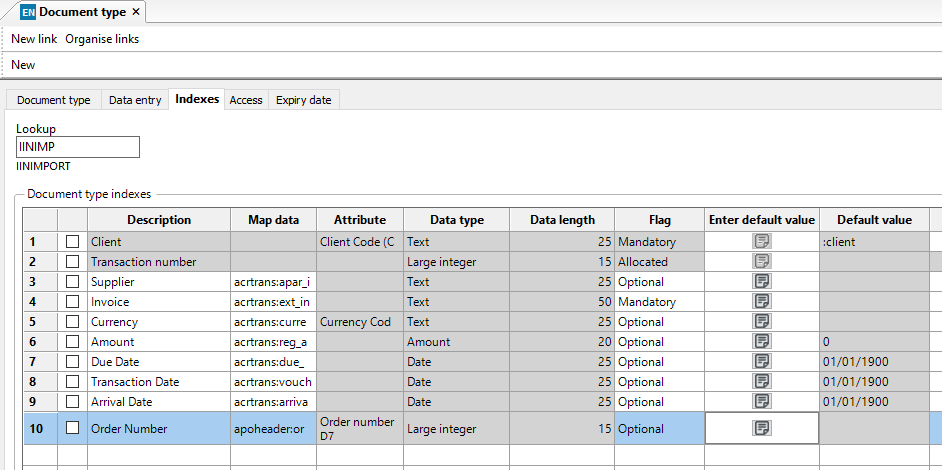
Once you have processed the invoices in OCR against the IINIMP (for example) document type, they will be transferred into the document archive database tables.
You then simply run a DS01 process to convert the files from IINIMP to IIN, and this process will extract the files from the database and Unit4 ERP can move them to the correct document storage location with the appropriate access rights.
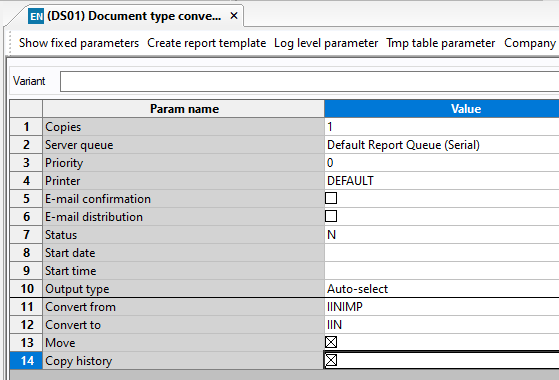
Extract and DS05 Transfer
The second option does not involve having to set up new document types but does mean the files have to be extracted from the database to Data Import and then read back in using a DS05 to move the files to the correct location.
This process is much slower and obviously has risks due to the files being extracted to data import.
To use this system you need to configure the export SSV:
ERPOCR_EXP_FILES should be switched on by switching Number1 to 1
ERPOXR_EXP_QUEUE should be set with a valid serial report queue name. Note that the system will run one ERPOCREX report for each single file.
ERPOCR_EXP_WAIT should be set to the number of seconds you wish the system to wait for each individual report to run. Note if the system does not get a finished or error status back from the report within this time, it will exit and cancel the export for that document.
When these are configured and the system identifies that the document type for that individual document is using file system storage then it will do the following
-
Write the index and document information to the document registration import table
-
Call the EXPOCREX report to extract the file to Data Import, if the folder does not exist then the system will create it. Note any files which exist in the folder with the same name will be overwritten (for example if you try and re-extract a batch)
The file path used is so that the DS05 can be scheduled by intelligent and the necessary bits of information found from the path
Data Import\ERPOCR\{document library}\{document system}\{import type}\{batch id}
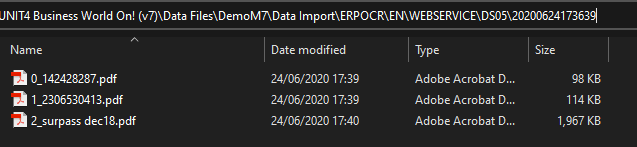
You will also note that the file name is preceded by x_ where x is the OCR internal row number. This is in case two files have the same name within a batch. We could have used the GUID (which is what the Unit4 does) but it then only means something when you look at the database.
You will also get a matching batch in Maintenance of Document Import:
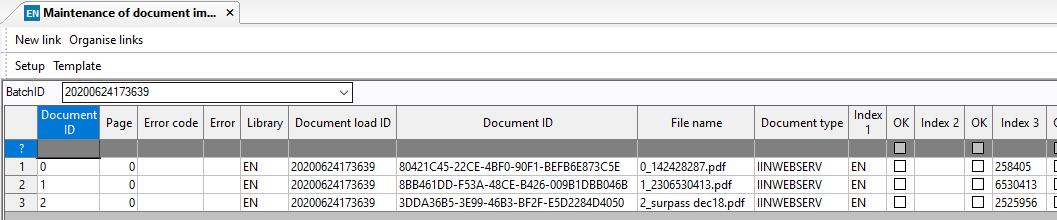
- The system will poll the EXPOCREX report once a second until it gets a response back or the timeout has expired. Once the system has had a positive response back from the EXPOCREX report, it will remove it from the OCR table and from the ROSSUM system. If it times out or gets an error response then the system will roll back the changes for that document.
You then need to run the DS05 report to "Import" these documents to the system so that Unit4 ERP can move them to the correct document storage location with the appropriate access rights.
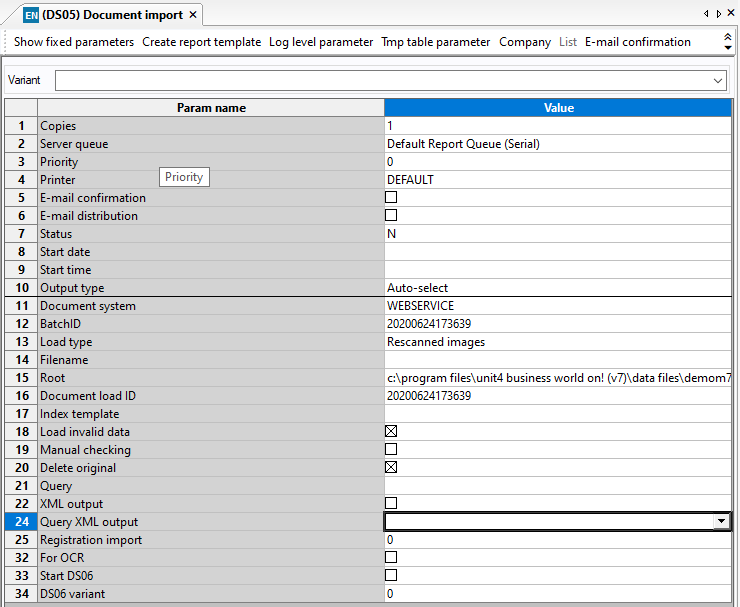
The DS05 is a standard process so all the parameters are available in the help files, however note that the document system needs to be correct and the load type should be "rescanned images" as the batch already exists in the import table. Below is an example used to import the above batch and delete the documents from data import. Note using the load invalid data means that the documents will be moved even if the indexes are not valid, which is advisable.