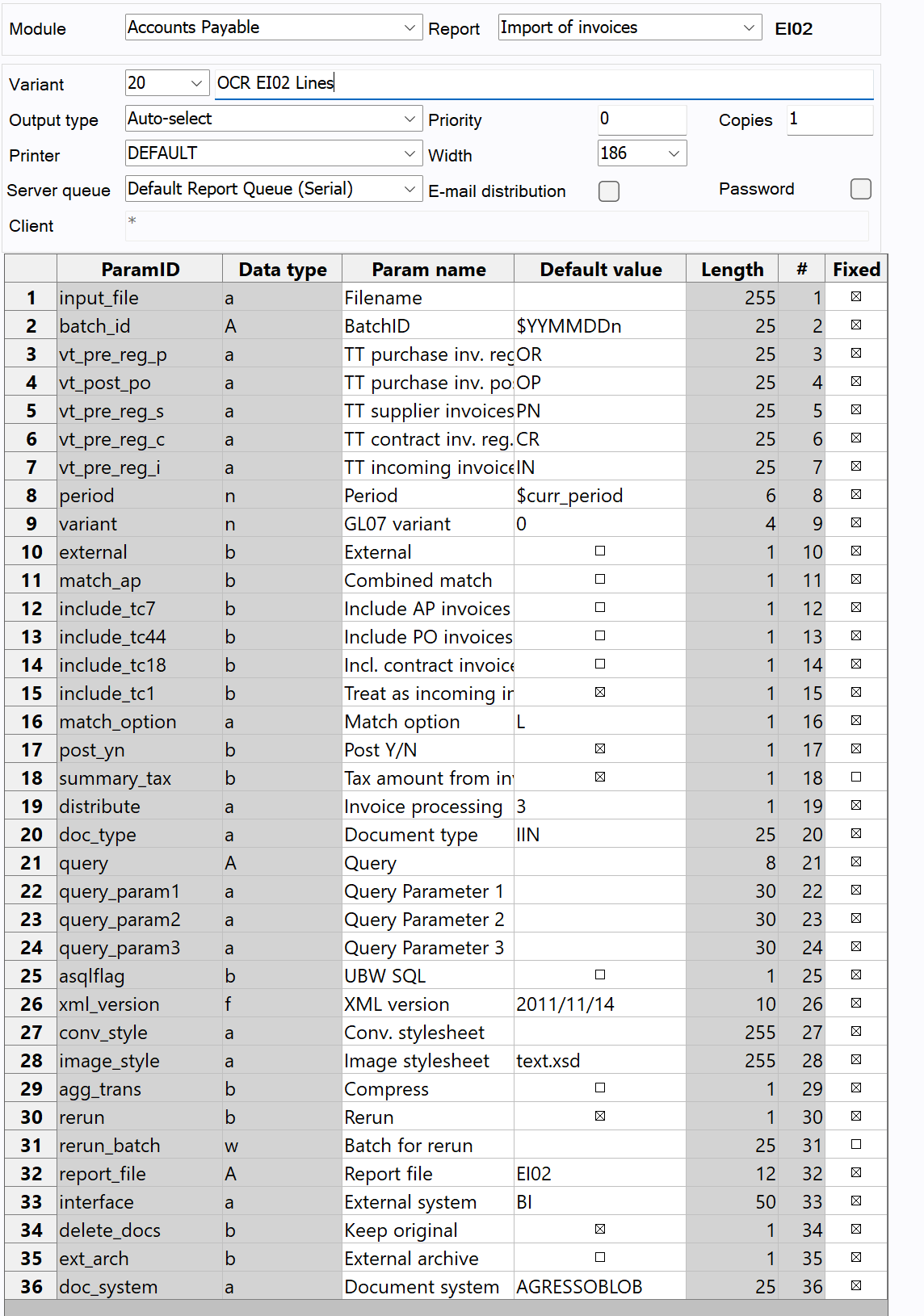
This will move the line level data to the Invoice Maintenance screen in the Import of Invoice maintenance. The files will either have been moved to the document archive, or will have been exported to data import to then be re-imported by the EI02 process, the action taken will depend on the document type and system setup value settings.

There are a few of assumptions that are made by the system when moving the data to the import table, this is due to the way Unit4 ERP works and the fields that the OCR system will populate some values in:
-
If the currency has been recorded as OTHER by the OCR and not corrected, the system will update this to the clients main currency
-
Products are assumed to be Supplier Product codes
-
If there is no order number which matches an order from apoheader, the product codes will be removed otherwise the Invoice Matching System can fail.
-
The period will be taken from the client
-
The arrival date is assumed to be the date the document was loaded into Unit4 ERP.
-
The voucher_date will use the date_uzp (Tax Date) if available and will revert to the date_issue if it is not.
-
The unit price will use the line_amount_base (net price) and will revert to the line_amount if it is not.
The majority of the EI02 parameters will be configured to your needs, however it is important that the Rerun parameter is switched on, and the batch is correctly entered into the Batch for Rerun when the report is called. This is because the data is already in the system and so the system is just needs the re-run to process it.
It is also important to make sure that the correct document type is used to ensure the documents are correctly imported to the archive.
Note from 1.1.5 it is now possible to use the L "match option" which matches based on order lines where these have been entered in the OCR screen.
If you expect to have consolidated invoices, then you should set up variant 888 as per the next section.
External: DO NOT CHECK THIS PARAMETER it will cause a lot of issues.
This is provided as an example: