Verify Installation
The powershell script should have reported any issues, but it is particularly useful to check if there is now any obsolete ACT in the system and if you wish, to verify the system has setup OK.
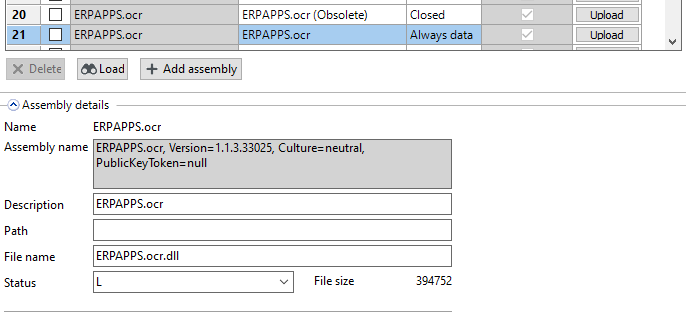
Check the ACT setup screen
for the ERPAPPS.ocr.dll , the powershell should always remove any obsolete versions. Verify that it's status is set to L set to "always database" and that the version number matches.
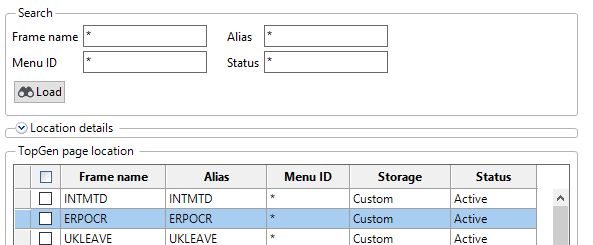
Check the ACT Topgen Setup screen
And verify the screen is there and active
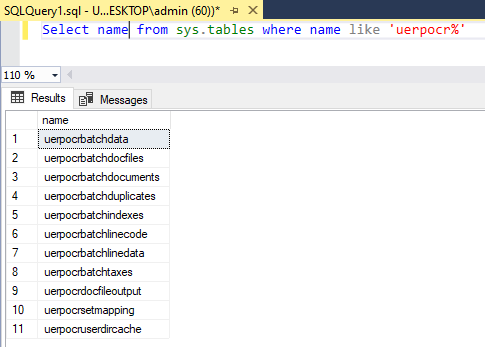
Check the database tables exist
Select name from sys.tables where name like 'uerpocr%'
Check the system setup values have created
On upgrade any existing setup should be retained, and any new SSV should be created and match this list
Select name, description from aagsysvalues where name like 'erpocr%'

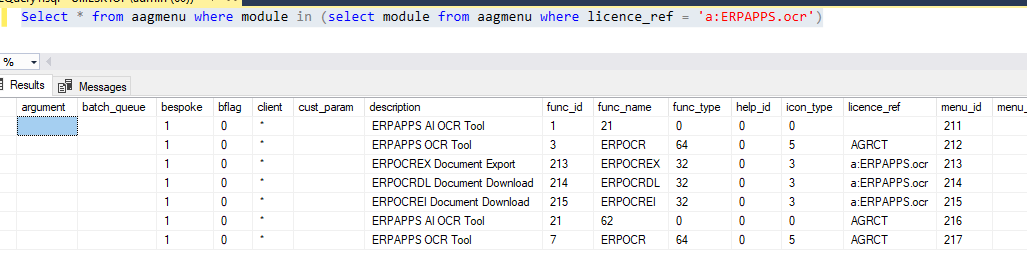
Verify the menus have created
Select * from aagmenu where module in (select module from aagmenu where licence_ref = 'a:INT_ERPAPPS.ocr')